
FX Algo Tools
Smart Tools For Better Trading
Test & Trade Pad
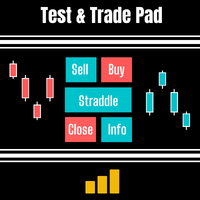
A multi-function trading and testing tool designed for strategy tester, live charts, and demo trading
Test & Trade Pad is built for traders who want more control when testing ideas or managing trades live. It works in strategy tester as well as on live and demo charts, combining execution tools, trade management features, and practical add-ons in one compact pad.
What Test & Trade Pad Does
Test & Trade Pad is a multi-functional trading tool designed to help traders test ideas more effectively and manage trades more flexibly. It supports strategy tester, live charts, and demo charts, making it useful both for practice and for real-time chart work. The pad includes execution tools, trade management features, and expandable add-on panels that sit neatly on the chart without taking over the whole screen.
Why Traders Use Test & Trade Pad
Test & Trade Pad is designed for traders who want a more practical way to test, enter, and manage trades. It can help improve trade execution, support more structured testing in strategy tester, and reduce friction when managing stopped-out trades through features like break even, stop reversal, and re-entry. Because it works across strategy tester, live charts, and demo charts, it offers a flexible tool for both learning and real trading preparation. This page text is based on the feature set and description you provided.
How Test & Trade Pad Works
The pad sits neatly on the left side of the chart and can be expanded with additional buttons and tool panels when needed. At its core, it gives traders quick access to buy, sell, straddle, close, and part-close functions, while also offering management tools that react when trades move into profit or get stopped out.
- Works in strategy tester, live charts, and demo charts
- Places and manages trades from one compact pad
- Includes built-in trade management features
- Expands with additional info, order, session, and pivot tools
Core Trade Pad Features
Test & Trade Pad includes a range of built-in tools designed to make execution and trade handling faster and more flexible.
Buy — places a basic buy execution order
Sell — places a basic sell execution order
Straddle — places a buystop above current bid price and a sellstop below current bid price, useful for triangle or box-range breakout trading
Close All — closes all trades at once, including partially closed trades
Part Close — closes 50% of the trade while leaving the remaining 50% open
Break Even — when enabled, moves trades to break even plus profit according to user settings
Stop Reversal — automatically places an opposite order at the current trade’s stop-loss level
Re Entry — automatically re-enters a trade if it is stopped out, based on user-defined limits

Add On Features
The pad can also expand with extra boxes and chart tools to support decision-making and chart awareness.
Info — shows trade and account information such as bid, ask, spread, lot size, balance, equity, and profit/loss
Orders — opens an extra box for pending orders including buystop, buylimit, sellstop, and selllimit
Sessions — shows European, Asian, and American trading sessions to help identify more active market periods
Pivots — displays 4-hour, daily, weekly, or monthly pivot options
Settings
Volume Analysis Trader includes flexible settings so traders can adapt the indicator to their own preferences and market conditions.
Settings points
- Spike — sets how much current volume must exceed average volume before a spike is triggered
- Extreme Spike — sets a higher threshold for stronger spikes
- Averaging Volume Period — controls how many bars are used in the average
- Bull / Bear Histogram Colours — sets the histogram colours
- Spike / Extreme Spike Colours — controls spike bar colours
- Histogram Width / Spike Width — adjusts display width
- PlaySound / MessageBox / SendEmail / SendMobile — controls alert delivery options
Best Suited For
Volume Analysis Trader may suit traders who:
- use volume as part of price-action analysis
- want a clearer way to compare current volume to average activity
- look for trend-strength clues and possible reversals
- want alerts when market activity becomes unusually strong
- prefer practical, configurable MetaTrader tools
Important Considerations
Volume should not be treated as a standalone answer. It works best when read in context with price action, trend direction, and key support or resistance levels. A spike does not guarantee a reversal, but it can provide a useful clue that market activity has changed sharply. Volume Analysis Trader is designed to help reveal those changes more clearly, not to remove the need for judgement. This is an inference from the tool’s stated purpose and settings.
Pricing
Frequently Asked Questions
Q. What does Volume Analysis Trader do?
It compares current volume to a fixed average so traders can see when volume is rising, falling, or moving sharply above normal levels. It also highlights spikes and extreme spikes.
Q. What is a volume spike?
A volume spike happens when current volume rises above its average by a defined threshold. The indicator can also mark a larger move as an extreme spike.
Q. Can it help with reversals?
It can help highlight volume behaviour that may appear near reversals, especially when extreme activity shows up after a strong move. It does not guarantee reversals, but it can provide useful context.
Q. Can I customise the settings?
Yes. The indicator includes settings for spike thresholds, averaging period, colours, widths, and alert delivery options.
Q. Can it send alerts?
Yes. Alerts can be sent to your PC, email, or mobile device depending on your chosen settings.
Q. Is there a free trial?
I always give free trials, unlike other developers I believe you should know the product better before parting with any money.
Q. What after-purchase support will I get?
I love questions and feedback. I think it’s how I can learn and improve also as a developer. But, I also expect software users to read the instruction manual as most questions are answered in there. Even so please feel free to contact me via help page or by email. Usually, I respond in 24 hours. I am always glad to help.